
Jéremie Bernier
-
Posts
62 -
Joined
-
Last visited
Everything posted by Jéremie Bernier
-
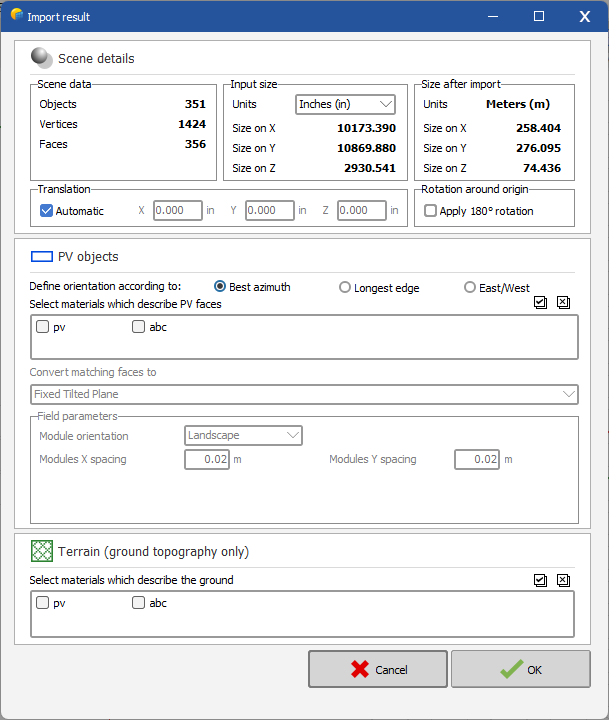
Hello, The following pvsyst help https://www.pvsyst.com/help/index.html?sketchup.htm states that "Using FBX Converter can result in some objects being slightly misplaced in the resulting DAE file" I used sketchup to import your dwg file and then export it as dae file. In turn I imported this dae file in pvsyst and managed to see the PV objects Regards

-
Hello, The first step is to determine whether the material information is missing from the DAE file or if it is being misinterpreted by PVsyst. To assist you better, could you please provide the DAE file along with the original DWG and FBX files? Thank you. Regards,
-
Hello, It's difficult to be 100% certain, but it seems to me that in your 3D drawing, the PV plane is not aligned with the roof. Could you please export your project and submit it to support@pvsyst.com for further investigation? Thank you.
-

Error for Plane tilt with 90° in Near shading
Jéremie Bernier replied to Nihal's topic in Problems / Bugs
Hi Nihal, please send a request to PVsyst support along with the zip file of your project, and we will review it and provide you with the necessary guidance. -
3D simulation of open space with different orientations
Jéremie Bernier replied to Finn H.'s topic in Shadings and tracking
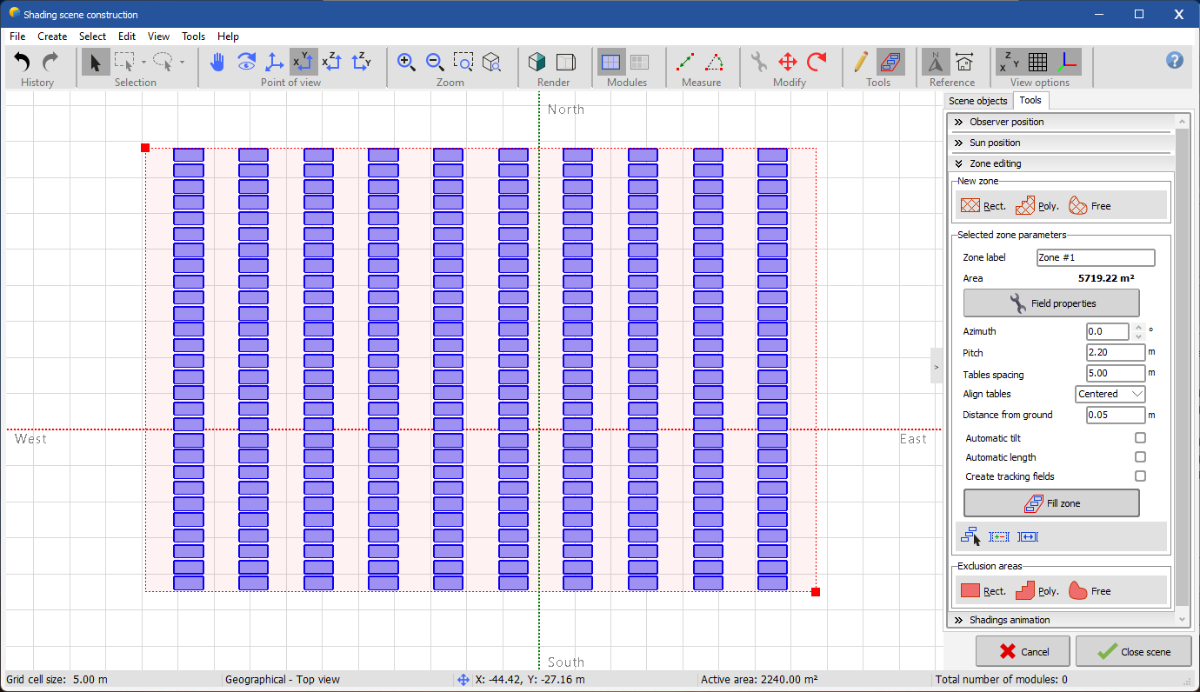
Hello Finn, Have you tried using the Zone editing tool in PVsyst? It can help you design rows of tables within a defined zone. Here's how you can do it: Create a Zone: First, create a zone in the 3D scene. You can choose a rectangle, polygon, or free shape depending on your layout. Define Rows and Spacing: Within the created zone, you can define the rows of tables. Use the "Pitch" parameter to set the space between tables in a row, and the "Tables spacing" parameter to set the distance between the rows. Adjust Orientation: If your areas have different orientations, you can create separate zones for each orientation and adjust the azimuth and tilt accordingly for each zone. This method should give you more control over the layout and make it easier to manage different orientations and spacing. If you encounter any specific issues, feel free to share more details, and we can assist you further. Best regards,
-
Can i hide ground object, I wanna hide object to look others clearly.
Jéremie Bernier replied to Swonno's topic in How-to
Hello, You can't hide objects in PVsyst. If you have visibility concerns with your scene, you may try using the Realistic view by clicking on the left polygon in the 'Render' section of the top action bar. This could help improve the overall rendering of your modules. -
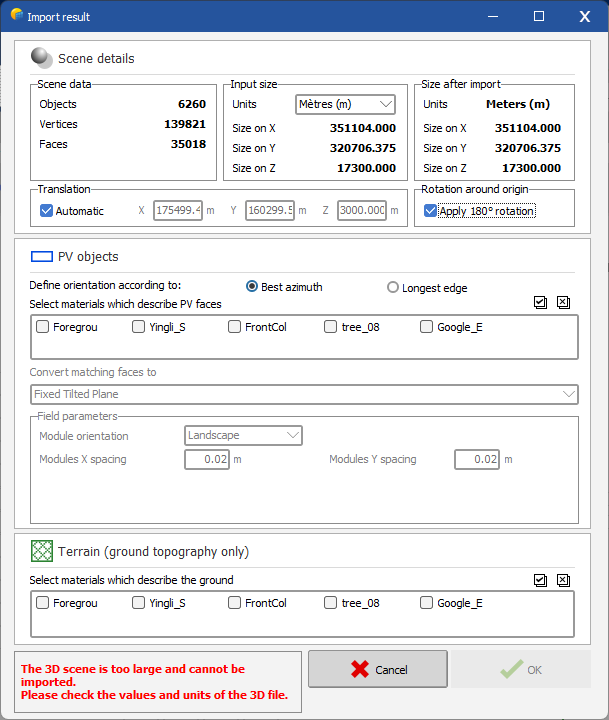
Hello, When you import a 3ds file for data located in the southern hemisphere, you need to check the "Apply 180° rotation" option under 'Rotation around origin' on the Scene details page before validating the 3D scene. Pleae refer to the screenshot in the reply of your other post "Map Orientation".
-
Hello, When you import a 3ds file for data located in the southern hemisphere, you need to check the "Apply 180° rotation" option under 'Rotation around origin' on the Scene details page before validating the 3D scene, as shown in the following screenshot.
-
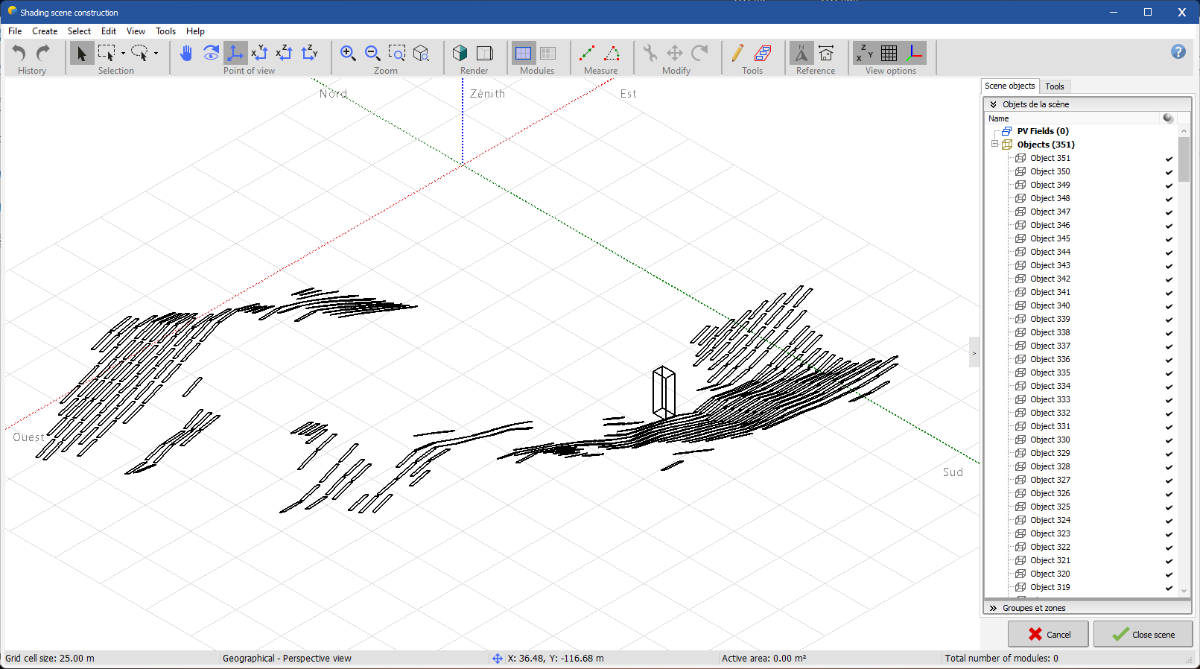
Thank you for providing the CSV file and additional information. Upon reviewing the CSV file, I noticed that the Z-coordinates (the third column) indicate significant variations in the terrain elevation. For example, the initial lines show coordinates such as: 407.704717532545 -518.458029091664 -3.60421894608029 475.204717532545 -522.788156110586 -3.69413811294243 Further down the file, around line 285, I see: 475.204717532545 568.403852657811 1.60586188705904 These coordinates indicate a height difference of approximately 5.2 meters (from -3.60 to 1.60), suggesting that the terrain is not flat. When sorting the data by the third column, the elevation ranges from a minimum of -5.04 to a maximum of 1.91 meters. This explains why the terrain appears sloped in PVSyst and why the trackers seem to be hanging in the air at certain points. The variation in elevation points to an actual slope in the data, rather than an issue with the software.
-
Hi, From the screenshots you provided, both the original terrain data from PVCase and the imported data in PVSyst appear to be quite similar and show regular flat lines, which indicates that the terrain is flat in both cases. However, I understand that you perceive a difference in the terrain's appearance between PVCase and PVSyst. To help us better understand and diagnose the issue, could you please provide more details on the following points: Are there any specific coordinates or points in the CSV file where you notice the discrepancy in the slope? Could you share the CSV file with us so we can inspect it directly?