
ASZulu
-
Posts
8 -
Joined
-
Last visited
-
Multi-Year Analysis of Inverter Clipping Losses & Module Degradation
ASZulu replied to ASZulu's topic in Simulations
Hi all, Thank you so much for the prompt and helpful responses! After reading the PVsyst documentation and your feedback, I understand and am happy with the output. -
Multi-Year Analysis of Inverter Clipping Losses & Module Degradation
ASZulu replied to ASZulu's topic in Simulations
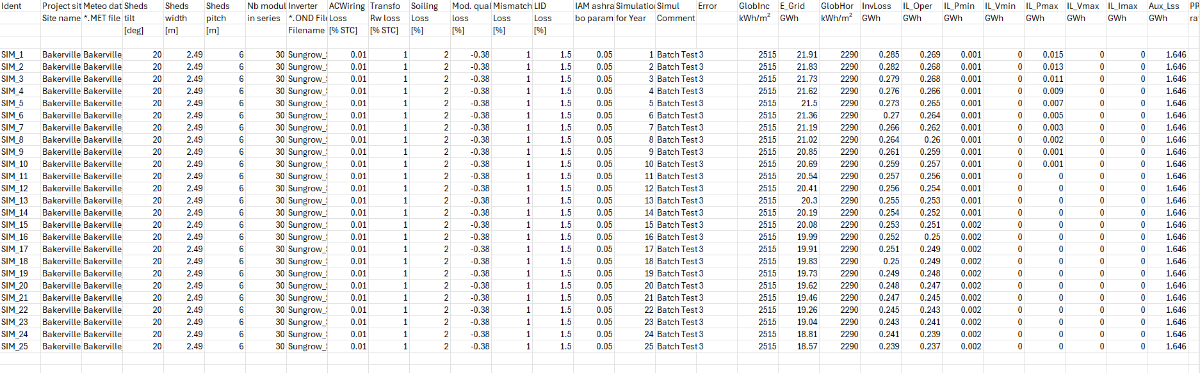
Hi Linda, Thank you. After ensuring that the "Simulation for Year" is from 1 to 25, I get results as per the below attachment. This now shows reduction in production, but somehow inverter losses (columns starting with "IL_") also decrease with each year, which is not what we had expected. Could I have missed something? Many thanks!
-
Multi-Year Analysis of Inverter Clipping Losses & Module Degradation
ASZulu replied to ASZulu's topic in Simulations
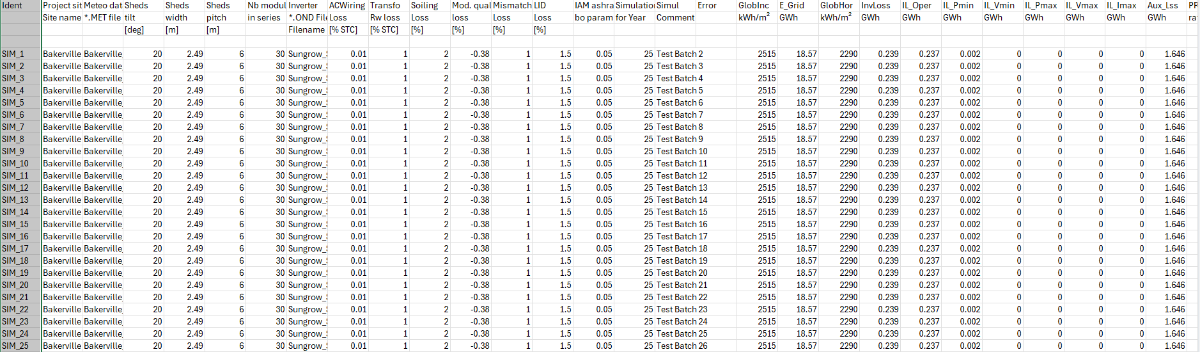
Hi Linda, Yes. Even when I change the Year No. to "25" in the "Aging" section within the "Detailed Losses", it seems to produce results related to that specific year as many times as there are rows. How do I ensure that each row is for each year, and not one year repeated across multiple rows (as attached)? Your assistance is really appreciated.
-
Multi-Year Analysis of Inverter Clipping Losses & Module Degradation
ASZulu replied to ASZulu's topic in Simulations
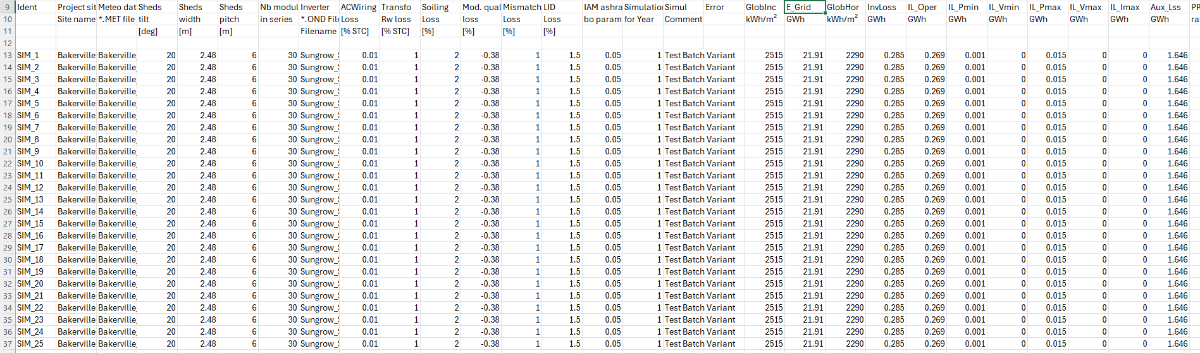
Hi, Linda. When following the steps in the second video, I cannot seem to find the approach to simulating data for 25 separate, consecutive years. My resulting batch CSV shows the exact same outputs for all inputs, as per the attachment below: Please may you advise on where I went wrong or how I can edit inputs to show independent losses and resulting parameters to show the inverter behaviour over a 25-year period. Thanks again.
-
Multi-Year Analysis of Inverter Clipping Losses & Module Degradation
ASZulu replied to ASZulu's topic in Simulations
Thank you for this feedback, Linda. -
A client has requested that we conduct an assessment of string inverters versus central inverters on PVsyst by analysing the inverter losses on an annual basis for a 25-year lifecycle. In addition to the typical losses displayed in the simulation report, they would like to see the annual clipping losses as well as the nett yield as a result of these losses by means of a 1 - 25 year generation table (I have read that this is done via PVsyst's Batch Mode capability, but needed guidance on the approach). Please may you assist by providing assistance on how to approach this client request on the PVsyst platform for both scenarios. Many thanks!
-
Backtracking Management Assistance Required
ASZulu replied to ASZulu's topic in Shadings and tracking
Hi Michele, 🙂. Thank you so much for the swift response. Yes, I was also confused by the same thing. I have shared the project file via email, as requested. Your assistance and guidance is really appreciated. -
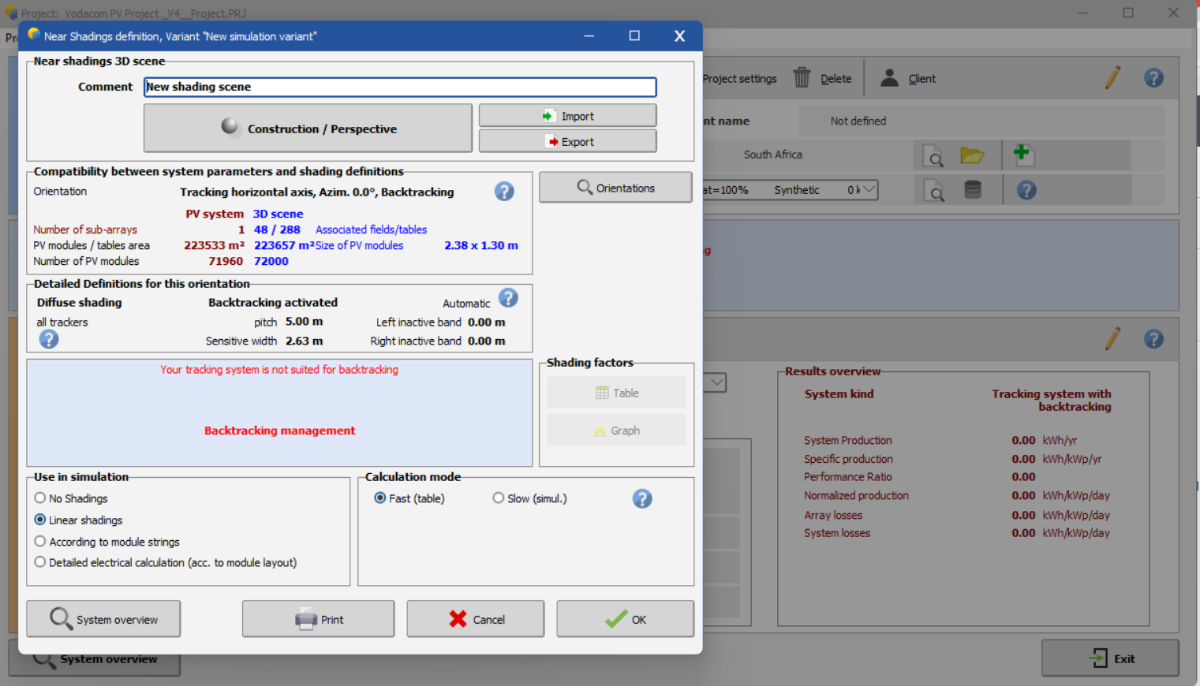
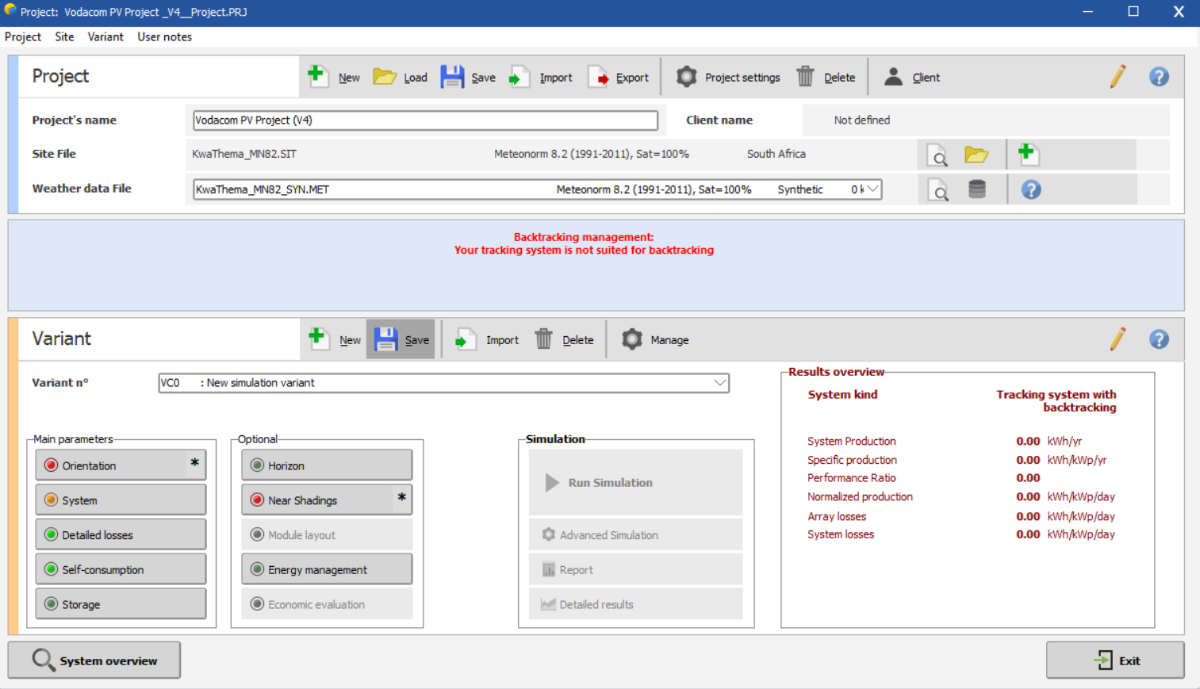
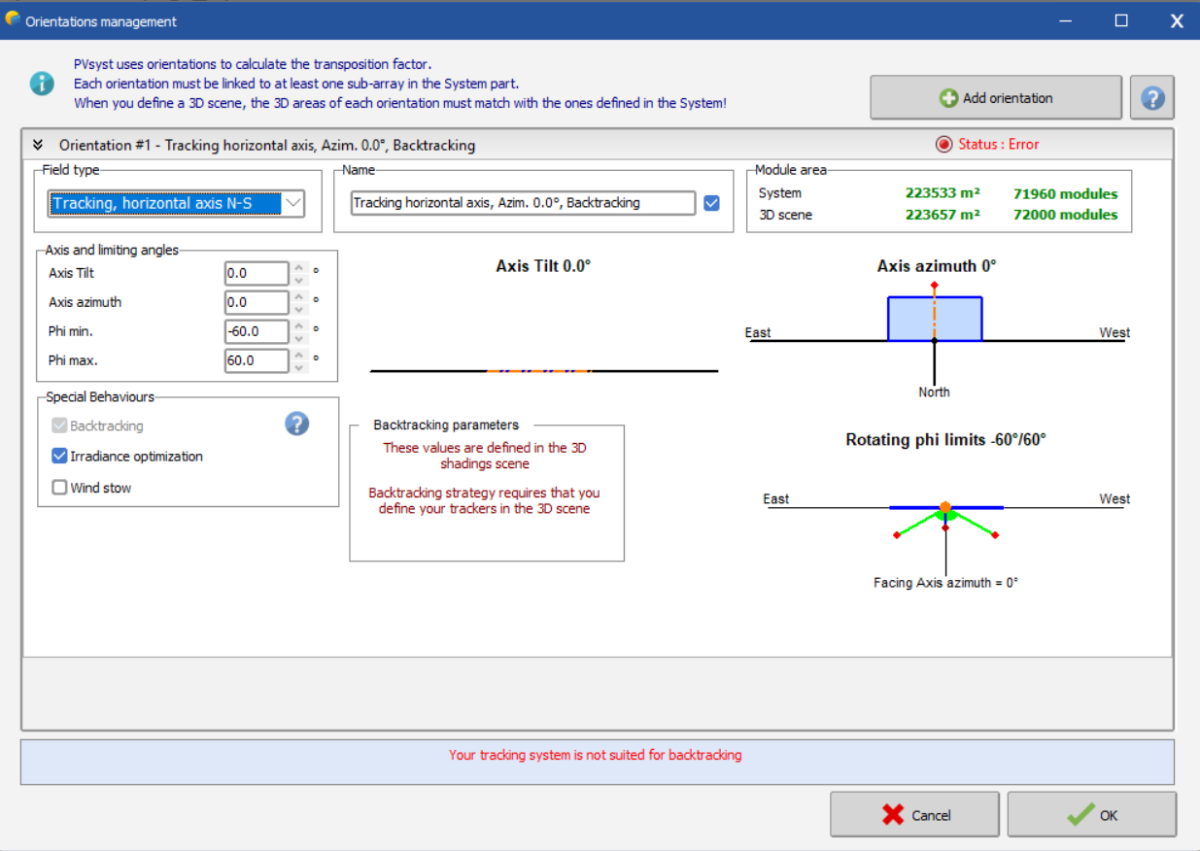
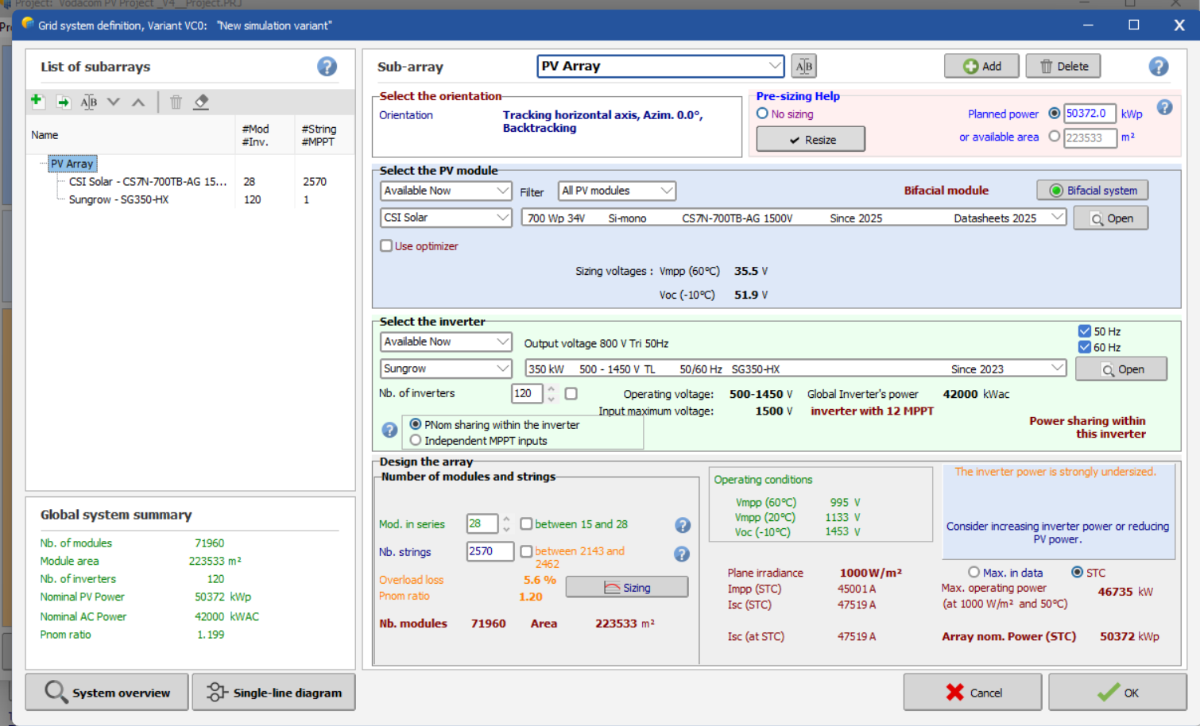
Hi everyone, 🙂! As a fairly new user of the software, I needed assistance with the Near Shadings for the simulation I am running. I keep getting the error stating "Backtracking Management: Your tracking system is not suited for backtracking" as shown below: Initially, I used "Unlimited Trackers with Backtracking" but noticed that PVsyst would not let me create a shading scene with this option/tacking system. This then resulted in the use of the tracking along the horizontal axis (with backtracking activated, and an azimuth of 0 degrees) as seen below. I am not sure how to proceed as the first screenshot above displays confirmation that backtracking has been activated from the "Backtracking Management" menu within "Near Shadings" and this is the only obstacle left before being allowed to run the errorless simulation. I have shared a screenshot of the System Overview below for context and convenience. Appreciate any and all help I can get on this. Thank you.